Give Clients a Photo Delivery App — Without Building One
Clients can save their gallery to the phone home screen as an app — its own icon from their photos, fullscreen, no app store. Here's how it works and why clients love it.

Short answer
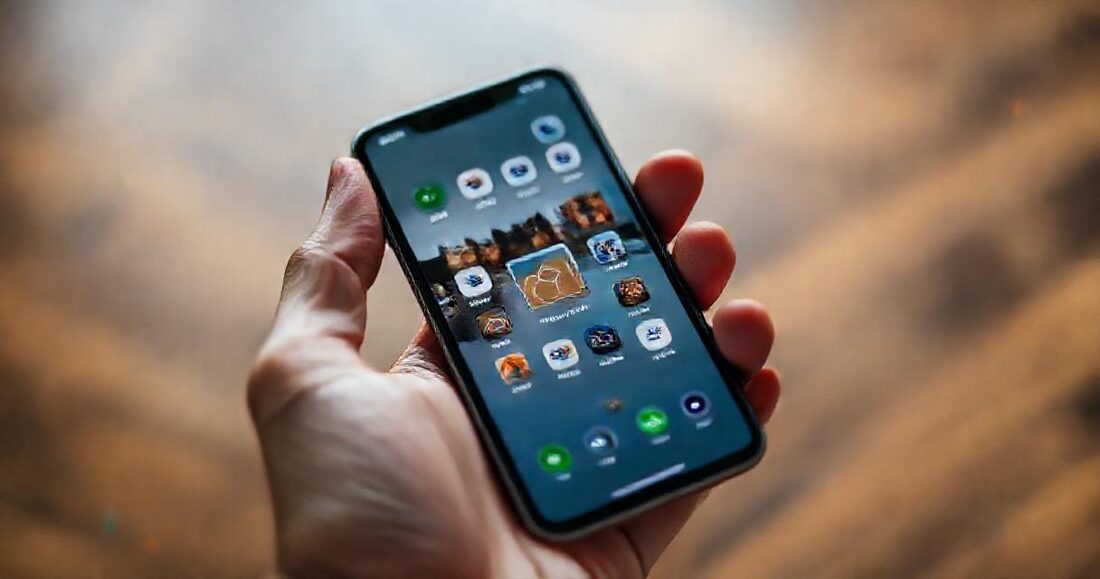
You do not need to build an app. A client can save their gallery to the phone home screen, where it gets its own icon made from their photos and opens fullscreen with no browser chrome and no app store. It behaves like an app for the one thing the client actually wants, which is opening their gallery quickly.
Clients ask for it in the same words every time: "is there an app?" They've just been handed a link to hundreds of photographs, they're going to open it forty times over the next month, and a browser tab feels like the wrong container for something that important. Meanwhile you have no interest in building an iOS app, paying an Apple developer fee, or waiting on review queues to deliver a wedding.
There's a middle path that most photographers don't know exists: your gallery can install itself onto a client's home screen, with its own icon made from their photos, opening fullscreen with no browser chrome. No app store, no download, no account. This guide covers how that works, what clients actually experience, how it compares to the client apps the big platforms ship, and where the honest limits are.
Table of Contents
- Why clients ask for an app at all
- What a "photo delivery app" actually needs to be
- How gallery-as-an-app works
- How your client installs it (iPhone and Android)
- Versus the native client apps platforms ship
- What it does for your brand
- The honest limits
- How to tell clients about it
Why clients ask for an app at all
It isn't really about software. Three things are happening when a client asks:
- They're afraid of losing the link. A gallery URL lives in an email that will be twenty emails down by Friday. An icon on the home screen cannot get buried.
- They want to show people. Handing a phone to a relative works better when the photos open like an app instead of a browser tab with an address bar and six other tabs visible.
- Permanence signals value. A wedding costs thousands; a link feels temporary in a way that doesn't match what they paid for. An installed icon feels like they own it.
Once you see it that way, the requirement isn't "build an app" — it's "make the gallery permanent, personal, and fullscreen." That's a much smaller problem.
What a "photo delivery app" actually needs to be
Strip away the marketing and a client-facing photo app needs exactly four things:
- A place on the home screen they can return to without a link
- A fullscreen, distraction-free viewing experience
- Full-resolution downloads to the camera roll
- Nothing to sign up for
Notice what's not on that list: an app store presence, push notifications, offline sync. Those matter to software companies, not to a couple looking at their wedding photos. All four requirements above are satisfied by a well-built web gallery — which is why the industry quietly moved this direction.
How gallery-as-an-app works
The mechanism is a progressive web app — a web page that declares, in a small manifest file, that it's installable. Every modern phone browser understands this: Safari on iOS, Chrome on Android, and every Chromium desktop browser. Installation is a browser feature, not an app-store transaction, so there's no review process, no developer account, and no update to push.
In GalleryLink, every gallery ships its own manifest automatically. You don't switch anything on.
The icon is made from their photos
This is the part clients react to. The home-screen icon isn't a generic logo — it's generated from the gallery's cover photo, centre-cropped to a square. A couple ends up with their own portrait sitting on their home screen next to Instagram and their banking app. You control which frame that is by setting the gallery cover (see the gallery setup docs).
For password-protected galleries the icon falls back to a neutral brand mark instead, so a private photograph never leaks through a public URL to someone who hasn't unlocked the gallery.
Fullscreen, no browser chrome
Launched from the home screen, the gallery opens without an address bar or tab strip — just your theme, your cover, and the photographs. On iOS the status bar goes translucent over the cover image, which is why a well-chosen hero frame matters more than usual.
How your client installs it (iPhone and Android)
Two taps, and worth writing into your delivery email verbatim because most clients have never done it deliberately:
| Device | Steps |
|---|---|
| iPhone / iPad (Safari) | Open the gallery link → tap the Share icon (square with an arrow) → scroll and tap Add to Home Screen → Add |
| Android (Chrome) | Open the gallery link → tap the ⋮ menu → Add to Home screen (or accept the install prompt Chrome offers on its own) |
| Desktop (Chrome/Edge) | An install icon appears in the address bar; the gallery opens in its own window |
Galleries also show a gentle in-page prompt on mobile, so most clients discover it without being told — but the ones who are told convert far more often, which is the whole point of the delivery email in the last section.
Versus the native client apps platforms ship
Some hosted platforms — Pixieset among them — ship a real App Store client app. It's a genuine feature, and it's worth understanding what you gain and lose either way.
| Installed gallery (PWA) | Platform's native app | |
|---|---|---|
| Client has to download an app | No — installs from the link | Yes, from the App Store |
| Client account required | No | Usually yes |
| Icon on home screen | Yes — made from their photo | Yes — the platform's logo |
| Whose brand is on it | Yours | The platform's |
| Works on any device | Yes, any modern browser | iOS/Android only |
| Offline viewing | Limited | Often supported |
| Push notifications | No | Yes |
The row that decides it for most independent photographers is whose brand is on it. A native platform app puts a competitor's logo on your client's home screen and a competitor's account in front of your delivery. The installed gallery puts your client's own photograph there, and your studio name inside it.
What it does for your brand
A gallery that lives on the home screen gets opened repeatedly for months — on anniversaries, when relatives visit, when the couple is choosing a print. Every one of those visits lands on your cover, your theme, and your links back to your studio page. Compare that to a ZIP of files on a hard drive, which is opened once and never associated with you again.
It also quietly solves the support problem every photographer has: "we lost the link." Clients who installed the gallery never ask.
The honest limits
- It isn't in the App Store. If a client specifically wants to find you by searching the App Store, this isn't that. Nobody searches the App Store for their wedding photos, but it's worth being straight about.
- Offline viewing is limited. Photos are fetched when opened; a plane with no wifi means no gallery. Full-resolution downloads to the camera roll are the answer for offline — and they're better quality anyway.
- No push notifications. When you add photos, the gallery updates silently. Tell clients by email or message; the link never changes, which is the compensating advantage.
- iOS requires Safari for install. A client browsing in Chrome on an iPhone can't add to home screen from there. Mentioning "open in Safari" in your instructions saves a support message.
How to tell clients about it
Two sentences in your delivery email is all it takes, and it measurably increases how often the gallery gets opened again:
Tip: open the gallery on your phone, tap Share, then "Add to Home Screen". You'll get an icon made from your own photo, and you'll never have to hunt for this link again.
If you deliver with GalleryLink's built-in email, the gallery link, password note and this instruction can all go out in one branded message — the docs cover the delivery kit, and the wedding delivery workflow shows where it fits in the timeline. Every gallery is installable by default, on every plan including free, whether you fill it from a Drive folder or upload the photos directly.