Turn Google Drive Into Your Photography Portfolio Website
A studio website with portfolio, services, testimonials, FAQ and an inquiry form — built from the Google Drive folders you already have, with no site builder to maintain.
Short answer
You can run a photography website from the Drive folders you already keep, with the portfolio reading a folder directly so it updates whenever you add photographs. That removes the real cost of a photographer's site, which is maintenance rather than design, and replaces a site builder costing 16 to 30 dollars a month.
Every photographer needs a website, and almost every photographer resents theirs. It costs $16–30 a month, it hasn't been updated since the year you built it, the portfolio is eighteen months behind your actual work, and updating it means logging into a site builder and fighting a drag-and-drop editor on a Sunday evening.
There's a leaner way to think about it: the photographs you'd put on a portfolio site are already sitting in folders you keep. If the site reads those folders, then updating your portfolio means dropping files into a folder — and the site is never out of date again. This guide covers what a working photographer's site actually needs, how to build one from folders you already have, and where this approach beats a site builder (and where it doesn't).
Table of Contents
- What a photographer's website actually needs
- The real problem: maintenance, not design
- Building it from folders you already have
- The sections that convert enquiries
- Being findable: what actually matters
- Your own domain
- Versus Squarespace, Format and the rest
- Setting one up in an afternoon
What a photographer's website actually needs
Strip out the design conversation and there are five jobs. A site that does these five things well outperforms a beautiful site that doesn't:
- Show the work — enough of it, current, and full-screen on a phone
- Say who you are — one honest paragraph and a photograph of you
- Say what things cost — or at least a starting figure, because the alternative is enquiries from people who were never going to book
- Provide proof — testimonials from real clients
- Make enquiring trivial — a form that lands in your inbox, not a mailto link
Everything else — parallax, custom cursors, a blog you'll abandon — is optional at best.
The real problem: maintenance, not design
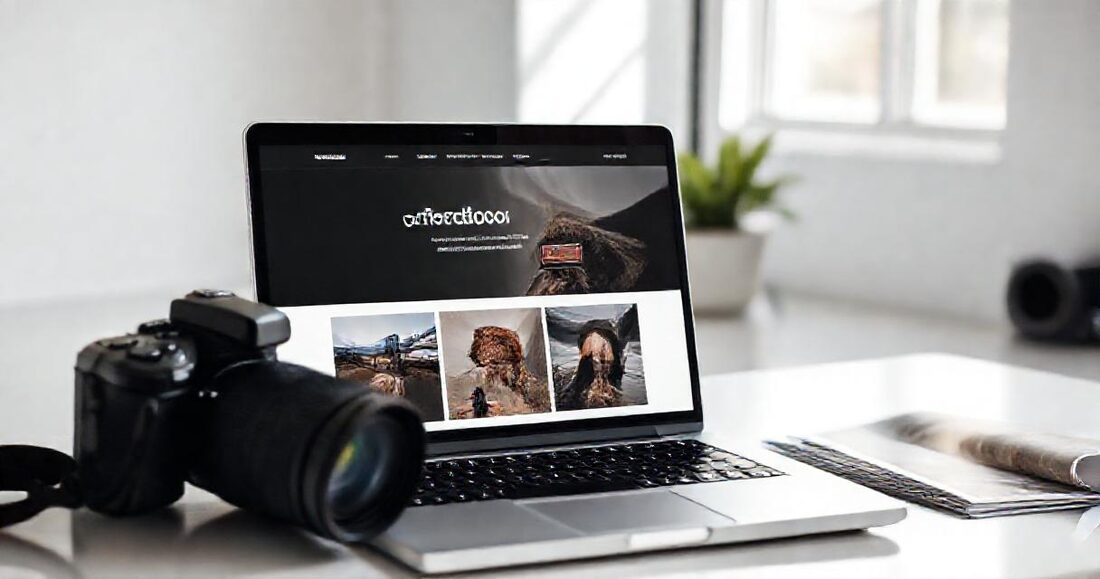
Most photographer sites don't fail because they look bad. They fail because they go stale. The work on the homepage is from two seasons ago, the "recent weddings" section stops in 2024, and prices are out of date — all because updating means a separate, deliberate task in a tool you use four times a year.
Meanwhile your best recent work is already organised, in folders, because that's how you deliver it. The entire maintenance problem is a synchronisation problem: if the site reads from where the photos already live, staleness stops being possible.
Building it from folders you already have
The portfolio that updates itself
Keep one folder — call it Portfolio — containing your current best frames. Point your site's portfolio section at it. When you finish a job you love, drop three frames in and remove three tired ones; the site changes within the minute, from your phone if you like, with no login and no editor.
In GalleryLink, a studio page's portfolio section takes a shared Google Drive folder and renders every image in it — full-screen on click, arrow keys and swipe, exactly like a client gallery. Same for the hero slideshow, and same for individual sections if you want to break work out by genre.
The hero: slideshow, video or a single frame
The top of the page is the only part most visitors will judge. Three options that all work:
- A single strong frame — the safest choice and often the best; one photograph that represents the work
- A slideshow from a folder, which shows range without asking anyone to click
- A short video, if you shoot motion — nothing sells a wedding photographer like ten seconds of movement
One frequently-missed detail: a wide hero band cannot show a whole 3:2 frame, so choose which part of the photograph survives the crop. Faces above the fold, sky if the landscape is the point.
The sections that convert enquiries
| Section | Why it earns its place |
|---|---|
| Portfolio | The reason they came. Depth beats curation-to-death — show enough that they can imagine their own day. |
| About + your photograph | People hire a person for a wedding, not a lens. A face increases enquiries measurably. |
| Services & prices | Filters out mismatched enquiries before they cost you an email thread. Even "from $2,400" works. |
| Testimonials | Third-party proof at the moment of doubt. Three real ones beat twenty generic ones. |
| FAQ | Answers the questions you already type out weekly — travel, hours, turnaround, second shooter — and feeds search engines directly. |
| Enquiry form | The conversion point. Name, email, date, message. Nothing more; every extra field costs you enquiries. |
| Galleries | Recent work as real client galleries is the most persuasive proof there is — it shows what a client actually receives. |
The last row is the one photographers underuse. A prospective couple browsing an actual delivered gallery is experiencing your product, not your marketing.
Being findable: what actually matters
Photographers are sold a lot of SEO mystique. For a studio site, four things carry most of the weight:
- Say where you are. "Wedding photographer in Lisbon" in your page text and title. Most photographer sites are strangely coy about location, and location is the single most common qualifier in client searches.
- Say what you shoot. Weddings, portraits, events — in words, not just implied by images. Search engines cannot see your photographs.
- Answer real questions. An FAQ covering price, travel, turnaround and coverage hours matches what people actually type, and is increasingly what AI assistants quote when someone asks them for a recommendation.
- Be listed somewhere credible. A directory listing with a real portfolio behind it is worth more than a dozen thin backlinks — ours is free with any paid plan at gallerylink.live/photographers.
Structured data (the machine-readable description of your business, location and services) helps too — it's what puts a business into search engines' and assistants' understanding of "photographers in X". A good studio-page builder emits that for you rather than making it your problem.
Your own domain
Use one. yourstudio.com costs about a tenner a year and is the difference between a business and a page on someone's platform. A studio page should let you point your own domain at it with a single CNAME record and issue the SSL certificate for you — GalleryLink does, on paid plans, with the subdomain continuing to work alongside so nothing you've already shared breaks.
Versus Squarespace, Format and the rest
Site builders like Squarespace and Format are genuinely good, and if you want pixel-level control over a bespoke design, use one. The comparison that matters for most working photographers:
| Site builder (Squarespace, Format) | Studio page from folders | |
|---|---|---|
| Cost | $16–30/month, separate from delivery | Included with your gallery plan |
| Updating the portfolio | Log in, upload, arrange, publish | Drop files in a folder |
| Design control | Total | Themed — fonts, colours, sections, order |
| Client galleries | Separate tool, separate subscription | Same place, same brand |
| Enquiries | Form → email | Form → dashboard pipeline → quote → booked |
| Goes stale | Easily | Structurally hard to |
The honest summary: you trade some design freedom for the site never being out of date and for the site living in the same place as your deliveries. For photographers whose site is currently eighteen months stale, that's a straightforwardly good trade. For a studio with a designer on retainer, it isn't.
Setting one up in an afternoon
- Claim a handle —
yourname.gallerylink.live— and add your studio name and one-line tagline. - Make a Portfolio folder with 20–40 current frames, shared as "anyone with the link", and point the portfolio section at it.
- Pick a hero — one frame, a slideshow folder, or a short video — and set the crop focus.
- Write the About paragraph and add a photograph of yourself. Twenty minutes, and it does more work than any design decision.
- Add services with prices, three testimonials, and five FAQ entries from your own sent-mail folder.
- Switch on the enquiry form, list your recent galleries, and — if you want to be found by clients rather than only shown to them — opt into the directory with your city.
- Point your domain at it when you're happy.
After that, maintenance is: drop files into a folder occasionally. The docs cover each section in detail, and the studio page is included on Pro — the same plan that delivers your client galleries, which is rather the point.