How to Share Team Photos With Parents (Without a Group Chat)
Fifty parents, four hundred frames, one evening. How club and school photographers deliver match photos so every family finds their own child, downloads at full quality, and the link still works in May.
Short answer
Do not send match photos into the team chat. Put the game in one gallery, post a single link once, and let parents open it on their phones with no account, favourite their own child, and download at full resolution. Add each new game to the same gallery as a section so the link lasts the whole season, and password-protect it for youth teams.
Club and school photography has a delivery problem that weddings never have: it repeats. A wedding is one gallery, sent once, to two people. A season is twelve games, sent twelve times, to fifty families who want tonight's photos tonight and who will ask, every single week, where the link went. Most photographers solve this with the team group chat, and the team group chat is where good photos go to die.
- Why the group chat fails
- One link, posted once
- Helping parents find their own child
- Making the link last a season
- Keeping photos of children inside the club
- Downloads, prints and what parents actually do
- The whole thing in six steps
Why the group chat fails
Three things go wrong when match photos are sent as attachments. The app recompresses them, so the sharp frame you spent an evening on arrives looking like it was shot through a bus window. The photos scatter across a week of messages, so by Thursday nobody can find Tuesday. And a parent who joins the chat late, or who is not in it at all, gets nothing.
Sending a Google Drive folder link fixes the quality and loses the parents. A Drive folder on a phone is a file manager with a grey toolbar: a list of filenames, no way to favourite, and a download flow designed for spreadsheets. Participation drops to the handful of parents who are comfortable in Drive, and the rest ask you to send the ones of their child by hand.
One link, posted once
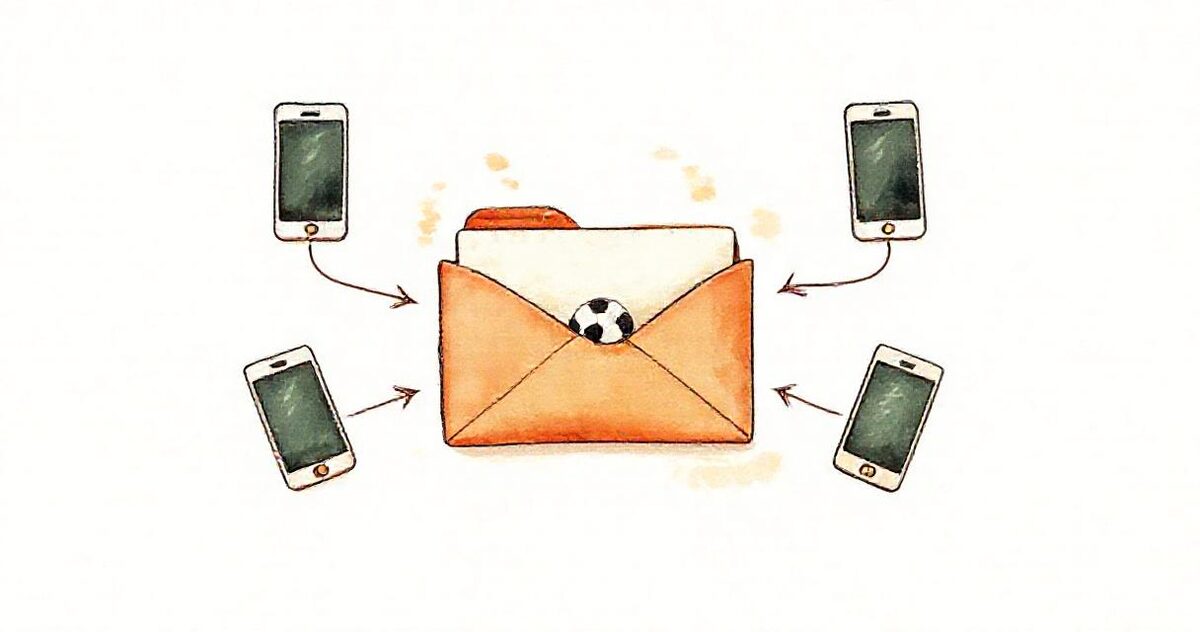
The fix is a gallery that reads the folder you already export into. You keep your workflow, which ends in a folder of edited JPEGs, and parents get a page that looks like photos rather than files.
- Export the game into a folder named after the fixture:
U12 vs Riverside 3 Sep. - Share the folder as Anyone with the link, paste the link into a new gallery, and pick a theme. Or upload the photos straight into the gallery if you would rather not use Drive at all.
- Post the gallery link once, pinned, in the team chat.
Parents open it in the browser. There is no app to install and no account to create, which matters more than any feature, because the moment a grandparent is asked to sign up for something, they stop. Previews are resized for phones and load as they scroll, so a four-hundred-frame game does not choke a phone on the touchline.
Helping parents find their own child
Nobody wants four hundred photos. Each parent wants the eleven of their own child, and the group photo. Two habits make that easy:
- Favourites. A parent taps the heart on each frame of their child. That builds a personal list they can download in one go, and can send to you if they want prints. What you receive is filenames, not a message describing the one where she is about to score.
- Shoot in an order and keep it. If the first half is one section and the second half another, or each team has its own section at a tournament, the search space halves before anyone starts scrolling.
Some photographers go further and put each family's frames in a subfolder named after the player. The gallery turns subfolders into sections with a jump bar, so a parent taps their child's name and sees only those frames. It is more work at the export stage and it removes every question you would otherwise get.
Making the link last a season
The reason group chats fill up with old links is that each game was a new delivery. A gallery that can hold more than one folder changes the shape of the season: the first fixture becomes the gallery, and every later fixture is added to it as a section.
| Week | What you do | What parents see |
|---|---|---|
| 1 | Create the gallery from the first game's folder | One link, one game |
| 2 to 12 | Add each new game's folder as a section | The same link, with a new section at the top |
| May | Nothing | The whole season, in order, at the address they bookmarked in September |
The club gets something useful too: one address for the newsletter, the website and the end-of-season presentation, that still works when they go looking for last year's photos.
Keeping photos of children inside the club
A public gallery of children playing sport is not acceptable, and most clubs have a safeguarding policy that says so in writing. But the usual fix, a login wall, is what kills participation. The workable middle ground has three parts:
- The gallery is never indexed by search engines and lives at an unguessable address, so it cannot be stumbled on.
- A password, shared once with the team manager, who shares it with the parents. Nobody creates an account; they type one word.
- Downloads can be switched off for a gallery where the club wants viewing only.
That satisfies the welfare officer without asking a single parent to register for anything.
Downloads, prints and what parents actually do
Most parents want two things: a few frames on their phone to send to relatives, and a print or two for the fridge. Full-resolution download covers both, and it is what club and school photographers are overwhelmingly asked for. If print sales are the core of your business, you will want a print lab platform beside the gallery; a delivery tool is not a shop, and pretending otherwise helps nobody.
What you can see afterwards is which frames were favourited most and how many downloads a game produced, which is a quiet way of learning what parents value that a chat thread never tells you.
The whole thing in six steps
- Export the game into a folder named after the fixture.
- Share it as Anyone with the link, or upload the photos directly.
- Create the gallery, set a password for youth teams, pick a theme.
- Post the link once, pinned, in the team chat.
- Next game, add the folder to the same gallery as a section.
- Tell parents to tap the heart on their own child.
The setup for the whole approach, including what it costs for a season, is on the sports and team photography page. For the same-night version, from the final whistle to phones before bedtime, see same-day sports galleries.