How to Run a Live Photo Slideshow at a Wedding Reception
Put a fullscreen slideshow on the venue screen that updates itself during the event — your photos from Google Drive and guest phone photos, arriving live.

Short answer
Put a fullscreen slideshow on the venue screen that adds photographs as you shoot them, fed either from your camera over a wireless transfer or from guest uploads. The effect on the room is immediate: people turn around, point at themselves, and the energy lifts well before the band starts.
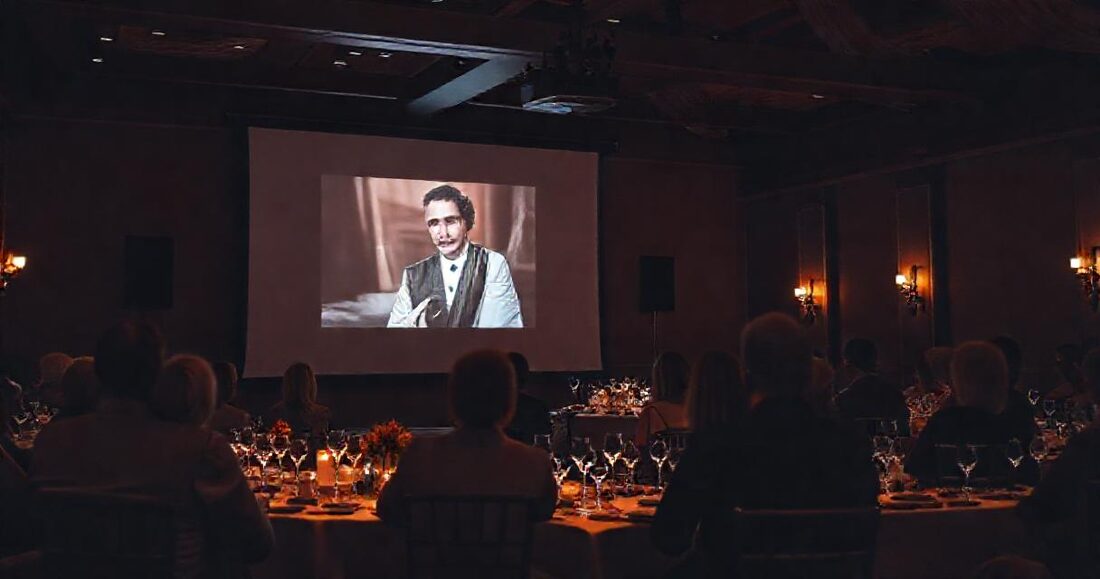
The dancing hasn't started, dinner is winding down, and there's a large blank screen behind the head table. Put the day's photographs on it — updating live as you shoot — and something reliable happens: the room turns around, people point at themselves, and the energy lifts before the band has played a note. A live slideshow is the cheapest crowd-pleaser at any reception, and it's almost entirely a setup problem rather than a technical one.
This is a practical guide to running one: what to display, how to get photos onto the screen during the event, the equipment and network realities, the failure modes that ruin it, and a run sheet you can follow on the night.
Table of Contents
- Why a live slideshow works
- What should be on the screen
- How photos get onto the screen live
- Equipment and network
- Setting it up, step by step
- Five ways it goes wrong, and the fix
- A reception run sheet
- What to do with it after the event
Why a live slideshow works
Three reasons, and only one of them is about photography:
- It's a gathering point. Receptions have dead spots — between dinner and dancing, while the room is reset. A screen with photos on it gives people somewhere to stand and something to talk about.
- Guests see themselves. The photograph of a guest laughing appears on the wall twenty minutes after it was taken. That's a small thrill, and it's the moment they ask who the photographer is.
- It sells your work in the room. Two hundred people watch your photography full-screen, at the emotional peak of the day, with your name on the delivery that follows. Given that most photography work arrives through word of mouth, that is an unusually efficient piece of marketing. No portfolio does it.
What should be on the screen
A live slideshow is not a full gallery. Curate ruthlessly — thirty to eighty frames on rotation is plenty, and the newest arrivals should jump the queue so the screen always reflects the last hour. Good material:
- Getting-ready and portrait frames from earlier in the day (already edited, already good)
- Ceremony highlights — the aisle, the vows, the exit
- Reception candids as they happen, lightly culled
- Guest phone photos, if you're collecting them
What to leave off: anything the couple hasn't seen yet that might land badly, unflattering frames of guests, and — obviously — anything from a getting-ready set the couple wouldn't want on a wall. You're the editor here, and the screen is public.
How photos get onto the screen live
The old way was a laptop, a folder, and a screensaver. The problem is that somebody has to keep dragging files into that folder all night — and that somebody is you, mid-reception. The modern approach is a gallery that reads a source continuously and a screen that just displays it.
From your camera as you shoot
Most current cameras can push JPEGs to a phone or laptop over wifi as you shoot, and most tethering and sync tools can drop those into a shared cloud folder automatically. If your gallery reads that folder live — as a Drive-linked gallery does — then anything landing in it appears on the screen without you touching anything. Set the camera to send small JPEGs rather than RAW; the screen doesn't need 45 megapixels and the wifi will thank you.
A lower-effort variant that works just as well: every hour or so, drop a handful of your best frames from the last hour into the folder from your laptop. Two minutes of work, three times a night.
From guests' phones
Guests are shooting all night from angles you can't cover. If your gallery accepts guest uploads via a QR code, those photos can flow into the same live view as they arrive — which is when the screen becomes genuinely interactive, because guests start uploading specifically to see their photo appear. That feedback loop is what turns a slideshow into an activity.
In GalleryLink this is the Event Suite: guest uploads land in the gallery, and the fullscreen live view at /gallery/<slug>/live polls for new arrivals and folds them into the rotation, newest first. No app for guests, no account, nothing for you to operate during the party.
Equipment and network
| What | Notes |
|---|---|
| Screen or projector | Usually the venue's. Confirm the input (HDMI is standard) and get the adapter you need in advance — USB-C to HDMI for most laptops. |
| A machine to drive it | A spare laptop is easiest. A tablet or even a phone works for a smaller screen. It only needs a browser. |
| Power | Both the machine and the screen. Bring an extension lead; the socket is never where the screen is. |
| Internet | The one real dependency. Venue wifi, or a phone hotspot as backup. Guest uploads need guests to have connectivity too — check the room's mobile signal, not just the wifi password. |
| Aspect ratio | Ask whether the screen is 16:9. Portrait frames will letterbox; that's normal and fine, but a slideshow of only verticals on a wide screen looks sparse. |
Setting it up, step by step
- Before the day: confirm the screen, the input, and the wifi with the venue. Ask the couple whether they want guest photos on it — some do, some absolutely don't.
- Publish the gallery early. Create it before the event with the folder or upload target ready, so the link exists before anyone needs it.
- Seed it. Put twenty edited frames from getting-ready and portraits in before the reception starts, so the screen is never empty when the room first sees it.
- Open the live view fullscreen on the display machine and press F11 (or the browser's fullscreen). Disable sleep and screensaver first — see below.
- Put out the QR cards if you're collecting guest photos, one per table.
- Check it once an hour. That's the entire operational load.
Five ways it goes wrong, and the fix
| Failure | Fix |
|---|---|
| Laptop sleeps mid-reception | Disable sleep, screensaver and display-off in system settings before the event; keep it plugged in. This is the single most common failure. |
| Venue wifi dies | Have a phone hotspot ready and tested. Photos already loaded keep rotating on most setups, which buys you time. |
| Screen is empty at the start | Seed with twenty frames before doors open. An empty screen reads as broken. |
| An unflattering frame goes up | Curate what enters the source folder; you're the editor. If guest uploads are on, keep a phone handy to remove one quickly. |
| Nobody uploads anything | QR cards with one line of copy on the tables, and ask the MC to mention it once. Guests need permission more than instructions. |
A reception run sheet
| Time | Action |
|---|---|
| Setup / before doors | Screen connected, live view fullscreen, sleep disabled, gallery seeded, QR cards on tables |
| Guests seated | MC mentions the screen and the QR once, briefly |
| Dinner | Drop the ceremony highlights in; the room watches between courses |
| Speeches → dancing | Add reception candids hourly; guest photos accumulate on their own |
| End of night | Close the laptop. The gallery is already the delivery. |
What to do with it after the event
This is the part that makes the whole thing worth setting up: the live slideshow and the final delivery are the same gallery. When the event ends, you keep editing into the same source, and the link the couple already has becomes the full delivery — with the guest photos preserved alongside your work as a separate wall rather than mixed into your set.
The couple gets a delivery that already contains the night everyone remembers, and you've turned a blank screen at the back of the room into two hundred people watching your photography full-screen. The event photographers guide covers the wider setup, the wedding guide covers the delivery that follows, and the live view is part of the Event Suite on Pro.