Holiday Mini Sessions 2026: How to Deliver Every Family's Photos Before the Holiday Card Deadline
Holiday mini sessions pack a dozen families into a day, and every one of them wants their photos in time for cards. A 2026 timeline worked backwards from the real mailing and card-ordering dates, how to structure one gallery per family, proofing versus full delivery, and message templates you can copy.
Short answer
Plan holiday mini sessions backwards from the card deadline, not forwards from the shoot. USPS recommends mailing First-Class cards by 17 December 2026 for Christmas delivery, and Hanukkah starts on 4 December, so most families need their photos by late November to order cards in time. Open booking six to eight weeks ahead, hold the last session by mid-November, give every family its own private gallery, and deliver within two to three days of each session.
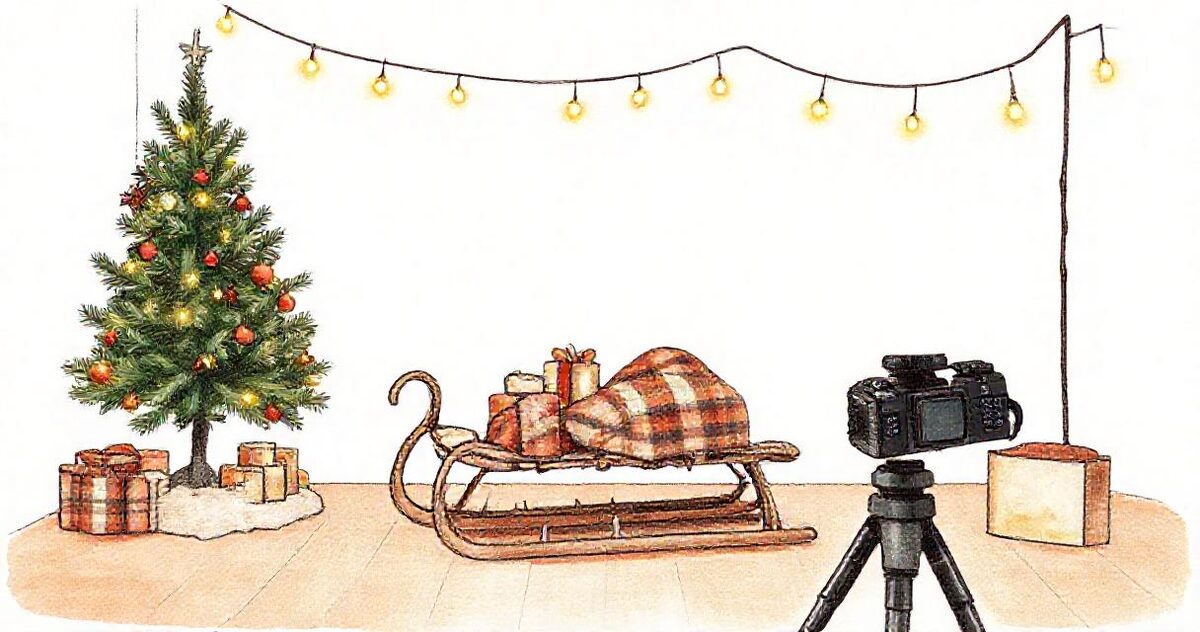
For many portrait photographers, holiday mini sessions are the busiest weekend of the year. A dozen families come through one set in a single day, each for fifteen or twenty minutes, and each of them booked for the same reason: they want a photo on this year's holiday card. That last part changes everything about delivery. A wedding couple will wait a few weeks for their gallery. A family with a card to print will not, because the card has a deadline and the deadline does not move.
This guide is about the half of mini sessions that most planning guides skip: getting every family's photos to them, privately and quickly, before the date that matters. It covers the 2026 dates you should plan around, a timeline worked backwards from them, how to structure one gallery per family, whether to deliver everything or let families choose, and the messages to send at each step.
Table of Contents
- 1. The deadline that decides your whole schedule
- 2. A 2026 timeline, worked backwards
- 3. Why mini session delivery is harder than it looks
- 4. One gallery per family, not one for the day
- 5. A folder structure you set up before the first session
- 6. Deliver everything, or let families choose?
- 7. A same-week delivery workflow
- 8. Make the gallery card-ready
- 9. Extra images, prints and next year's booking
- 10. A delivery checklist
- 11. Message templates you can copy
1. The deadline that decides your whole schedule
Every mini session family is working towards one of two dates: the day their cards need to be in the post, or the day they need the prints in hand as gifts. For 2026, the published dates look like this:
| Date (2026) | What happens | Source |
|---|---|---|
| Friday 4 December | Hanukkah begins at sundown, running to 12 December | Hebcal |
| Saturday 12 December | Shutterfly's Economy shipping order-by date for arrival by the holidays | Shutterfly |
| Monday 14 December | Shutterfly's Standard shipping order-by date | Shutterfly |
| Thursday 17 December | USPS recommended send-by date for First-Class Mail and Ground Advantage to arrive by 25 December in the contiguous US | USPS |
| Friday 18 December | USPS recommended send-by date for Priority Mail | USPS |
Read those dates the way a family does. A card company's order-by date is when the cards arrive at their door, not when the envelopes reach their relatives. If the cards arrive on the 22nd, they still have to be addressed, stamped and posted, and the USPS date for Christmas delivery has already passed. A family that wants cards on doormats by Christmas needs them in hand by the second week of December, which means ordering at the end of November or the start of December. Families celebrating Hanukkah, which starts on 4 December this year, need everything roughly two weeks earlier again.
So the date that decides your schedule is not the shoot date. It is the date each family needs to be choosing a photo for their card, and for most families in 2026 that is late November.

2. A 2026 timeline, worked backwards
Here is a working schedule built from those dates. Treat it as a starting point: card companies publish their own production times at checkout, and your turnaround may be faster or slower than the one assumed here.
| When | What you do | Why |
|---|---|---|
| Late September to early October | Build the set, shoot samples, open booking to past clients first | 12img recommends opening holiday bookings six to eight weeks before the holiday and emailing existing clients before posting publicly |
| October | Open to everyone; send a prep email with wardrobe advice and the delivery date | Families who know when their gallery arrives stop asking |
| Late October to mid-November | Session days | Leaves time to deliver before families start ordering cards |
| Within 2 to 3 days of each session | Each family's gallery delivered | 12img's recommended 48 to 72 hour turnaround |
| By about 25 November | Every gallery delivered, including the last session | Families then have a week to choose and order cards, and Hanukkah families still make 4 December |
| Early December | Reminder to anyone who has not downloaded, with the card companies' order-by dates | The last useful nudge before the shipping deadlines |
The practical rule: if your last session is later than mid-November, your turnaround for that day has to be faster than for the rest. Many photographers schedule the latest day as the smallest, so there is less to edit when the time is shortest.
3. Why mini session delivery is harder than it looks
Each individual delivery is small. The difficulty is that there are so many of them at once. Mini sessions are usually 15 to 30 minutes long, and 12img's guide gives a typical deliverable of 10 to 15 edited images for a 15 to 20 minute session; HoneyBook reports some photographers delivering around 25 edited images for a 20-minute shoot. A day of twelve families is therefore twelve separate galleries of a dozen or two photos, each owed to a different client, all due in the same week.
A full session workflow does not scale to that. If each delivery takes you twenty minutes of exporting, uploading, naming, setting a password and writing a message, twelve families is four hours of admin before any editing. The goal of the rest of this guide is to get each delivery down to a couple of minutes, by deciding everything once and repeating it.
4. One gallery per family, not one for the day
The shortcut every photographer considers once: put the whole day in one gallery, with a section per family, and send everyone the same link. It is faster to set up, and it is the wrong choice for mini sessions.
| One gallery for the day | One gallery per family | |
|---|---|---|
| Who sees what | Every family can see every other family, including their children | Each family sees only their own photos |
| Links to send | One | One per family |
| Favourites and downloads | Mixed together across families | Belong clearly to one family |
| Forwarding | Forwarding the link shares strangers' photos | Families can forward freely to grandparents |
| Late payers or extra-image orders | Hard to handle per family | Handled per gallery |
Mini session families are strangers to one another, and holiday sessions are mostly families with young children. Families will forward their link to grandparents, aunts and cousins, which is exactly what you want them to do, and they can only do it safely if the link contains nothing but their own photos. One gallery per family, with a private link and a password where you can set one, is the only structure that survives forwarding. Our guide to password-protecting client galleries covers how to share the password so it does not become a support request.
Per-family galleries also need a plan that allows them. Some platforms, including GalleryLink's free plan, include a single gallery; a mini session day needs one gallery per family, which on GalleryLink means Pro, where galleries are unlimited and passwords, favourites and selection are included. Price your minis with the delivery you are promising in mind.
5. A folder structure you set up before the first session
The fastest delivery is the one whose structure already exists. Before the first session day, create the folders:
Mini Sessions/
  2026 Holiday/
    2026-11-07 Saturday/
      01 0900 Garcia/
      02 0925 Okafor/
      03 0950 Lindqvist/
      ...
    2026-11-14 Saturday/
      01 0900 Chen/
      ...
    Samples for marketing/
Numbering by slot and naming by family means the files sort in the order you shot them, and you can match every frame to a booking without opening it. Two habits make this work on the day:
- Shoot a marker frame at the start of each session. A photo of the family's name on a card, or of your booking sheet with their slot highlighted, makes splitting the card into family folders at import almost automatic.
- Back up before you edit. Twelve families' only copies on one memory card is a bad place to be. Our backup workflow applies to a mini session day as much as a wedding.
If your finished JPEGs live in Google Drive, each family folder can become a gallery directly: on GalleryLink, a shared Drive folder is the gallery, so exporting into the family's folder is most of the delivery. Our guide to Google Drive for photographers covers the storage side.
6. Deliver everything, or let families choose?
There are two common delivery models for minis, and the choice affects both your editing time and your sales.
| Deliver a fixed set, fully edited | Proof, then edit the picks | |
|---|---|---|
| How it works | You choose and edit the best 10 to 15, and deliver them | The family sees lightly processed proofs, picks their included images, and you edit those |
| Speed to the family | One step, fastest | Two steps; the family's choosing time sits in the middle |
| Your editing | You edit images the family might not have chosen | You edit only what was picked |
| Extra-image sales | Possible, but the family never sees the rest | Natural: families see every good frame and often want more |
| Risk at holiday time | Low | A family that takes a week to choose misses the card deadline |
For holiday minis, where the deadline is fixed, the fixed-set model is the safer default. If you proof, set a firm pick-by date in the booking terms, well before the card timeline in section 2, and use a gallery that returns the picks as filenames rather than screenshots. Our client proofing workflow explains how to get selections back in days.
If you are worried about proofs being screenshotted and used without purchase, a light watermark on proofs can help; our watermarking guide covers when it is worth it and when it only annoys paying clients.
7. A same-week delivery workflow
12img's advice for mini session days is to upload every session into its own gallery the same day, batch edit that evening or the next day, and deliver within 48 to 72 hours. In practice that breaks down into:
- Import and split the same evening. Use the marker frames to move each family's files into their numbered folder.
- Cull every family in one pass. Same set, same light, same poses: culling twelve families back to back is faster than twelve separate sittings.
- Edit by set, not by family. Everyone was lit the same way, so one base edit per set, synced across every family, does most of the work. The planning guide from HSD Backdrops suggests two main sets plus a smaller one for toddlers rather than many different setups, which also keeps the editing simple.
- Export into the family folders at full resolution, in sRGB.
- Publish and check each gallery on a phone, in a private browser window, before sending. This catches the wrong family in the wrong folder, which is the one mistake that matters most with minis.
- Send the delivery message from a template, changing only the name, the link and the password.
Same-day and next-day delivery for events follows the same logic; our same-day event delivery workflow goes further on speed.
8. Make the gallery card-ready
A holiday mini gallery has a specific job, and a few choices make it much easier for the family to do it:
- Include vertical and horizontal frames. Card templates come in both orientations, and families often discover which they want only when they open the designer.
- Include a few frames with space around the family. Card designs overlay text and borders, and a tight crop gets cut off.
- Deliver full resolution, and allow downloads. Card companies set their own file requirements, so give families the full-size file rather than a web-sized one.
- Put your best card candidate first. Most families pick from the first screen. Set a cover image and order the gallery so the obvious card photo is at the top.
- Tell them the dates. Put the card companies' order-by dates in the delivery message. It is useful, it is timely, and it makes you the person who helped them get the cards out.
9. Extra images, prints and next year's booking
The delivery message is also the best moment to sell, because it arrives when the family is happiest with you.
- Extra images. If you deliver a fixed set, tell families that the full set of good frames exists and what additional images cost. Families with several grandparents often want more than one card photo.
- Prints and gifts. Families doing holiday minis often want prints for relatives. If you sell prints, say so in the delivery, with the last order date for Christmas.
- Next year. Holiday minis repeat. A line offering past clients first choice of next year's slots fills your next season before you announce it, and a happy family mentioning you to friends is the cheapest marketing there is; our piece on getting more photography referrals covers asking without being pushy.
Keep galleries online after the season. Families come back in January to download what they missed, and a link that still works in a year is a small, memorable part of your service.
10. A delivery checklist
- Decide the delivery model (fixed set or proofing) and the number of images, and put both in the booking terms.
- Put the delivery date in the booking confirmation, and a pick-by date if you proof.
- Schedule the last session so its galleries are out by about 25 November.
- Create the numbered family folders for every session day before the first one.
- Shoot a marker frame at the start of each session.
- Back up the card the same evening, before editing.
- Cull and edit by set, syncing one base edit per set.
- Export full resolution, in sRGB, into each family's folder, including vertical and horizontal frames.
- One gallery per family, with a private link and a password.
- Check every gallery on a phone in a private window before sending.
- Send the delivery message with the card order-by dates.
- In early December, remind anyone who has not downloaded.
11. Message templates you can copy
Booking confirmation
You are booked for [time] on [date] at [location]. Your gallery of [number] edited photos will arrive within [2 to 3] days of your session, in plenty of time to order holiday cards. Wardrobe ideas and parking details are below. See you soon!
Delivery
Your holiday photos are ready: [link]. The password is [password]. Tap any photo to see it full size and use the download button to save it; the files are full resolution, so they are ready for cards and prints. If you are ordering cards, Shutterfly's Standard shipping deadline for arrival by the holidays is 14 December, and USPS recommends mailing cards by 17 December to arrive by Christmas. Happy holidays!
Early December reminder
A quick reminder that your holiday gallery is here: [link]. If you are still planning to send cards, now is the time to order them so they arrive before the mailing deadlines. The gallery stays online, so you can come back to it any time.
Next year
Thank you for coming to this year's holiday minis. Past clients get first choice of next year's slots before they are announced; reply to this email and I will add you to the list.
Holiday minis reward the photographer who plans the delivery as carefully as the set. Work backwards from the card dates, give every family its own private gallery, deliver in days rather than weeks, and send the dates they need along with the link. If most of your work is portraits, the portrait photographers page shows how per-family galleries, passwords and favourites fit together, and you can make a sample gallery in about a minute to see what your families would receive.