Watermarking Client Photos: When It Helps, When It Hurts, and How to Do It Right
A watermark is communication, not protection. Where marks genuinely earn their place, where they cost you, four ways to apply them compared, and a proofing-to-delivery flow with zero re-exports.
Short answer
A watermark is communication rather than protection. It attributes your work, signals that an image is a proof and not the deliverable, and deters casual misuse, but it will not stop determined theft because cropping and AI removal are trivial. Use marks on unpaid proofing sets and public promotion, and keep them off final client deliveries.
Few topics split photographers like watermarks. One camp sees them as basic hygiene — you wouldn't hand out unpaid work without your name on it. The other sees a beautiful frame with a logo stamped across it and winces. Both camps are right, because they're talking about different situations: the argument is never really "watermarks: yes or no", it's "which photos, seen by whom, at what stage of the job".
This guide sorts that out: where watermarks genuinely protect you, where they quietly cost you, the technical ways to apply them (and what each does to your files), and how serving-time watermarking changed the tradeoffs.
Table of Contents
- What a watermark actually does — and doesn't
- When it helps: three clear cases
- When it hurts: three equally clear cases
- Four ways to apply one, compared
- Designing a mark that doesn't fight the photo
- A proofing-to-delivery workflow with zero re-exports
- Common questions
What a watermark actually does — and doesn't
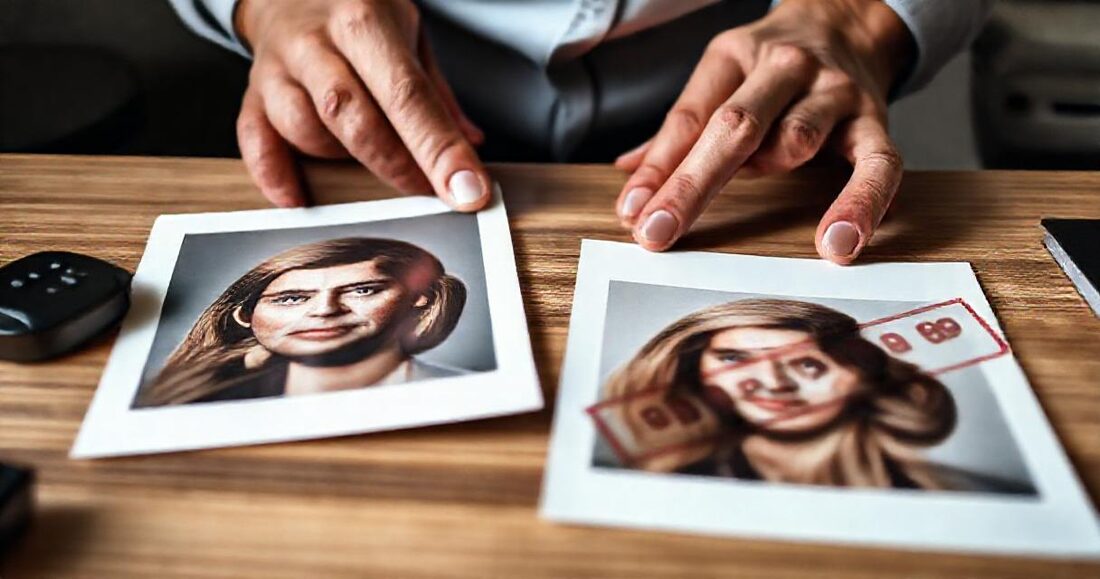
Be honest about the threat model. A watermark will not stop determined theft — cropping and even AI-assisted removal are trivial for anyone motivated. What a watermark actually does is three humbler things: it attributes (the photo carries your name wherever it's reposted), it signals status ("this is a proof, not the deliverable"), and it deters casual misuse — the relative who'd print an unpaid proof at the pharmacy won't print one with a mark through it. Legally, your work is protected by copyright with or without the mark; the watermark is communication, not protection.
Match those three functions to your situation and the yes/no question mostly answers itself.
When it helps: three clear cases

- Unpaid proofing sets. The client needs to see every frame well to choose; you need unfinished, unpaid work not to circulate as finished. This is the canonical case — the mark says "proof" louder than any email will. (Full selection workflow: album picks in days, not weeks.)
- Public-facing promotion where reposting is the point. A sneak peek the couple will share to two hundred friends travels further with your name on it than without — attribution working as marketing.
- Event galleries open to many strangers. A conference gallery seen by five hundred attendees is a different exposure surface than a family's portrait session; a discreet mark keeps your name attached as images spread through slide decks and LinkedIn posts.
When it hurts: three equally clear cases
- The final delivery. Paid work belongs to the client's memory now. A watermark on delivered files reads as distrust — and generates the "can we get them without the logo?" email that sours a handoff.
- Portfolio and studio pages. Your own site already attributes you; a mark on top adds noise to precisely the images that must look flawless. Galleries you choose to showcase publicly deserve the clean treatment.
- Anywhere it's doing brand-billboard duty. If the mark is big enough to prevent use, it's degrading the viewing experience your delivery is supposed to be; if it's small enough not to degrade, it isn't preventing anything. Oversized marks pay the cost of both and collect the benefit of neither.
Four ways to apply one, compared
| Method | Where it happens | Originals stay clean | Reversible without re-export | Effort |
|---|---|---|---|---|
| Export-time preset | Lightroom/Capture One | Only if you keep two exports | No — re-export everything | High (double exports, double storage) |
| Batch tool over JPEGs | Scripts/apps after export | Only with duplicates | No | Medium, error-prone |
| Camera/EXIF "watermark" | Metadata only | Yes | — | Invisible to viewers; strippable — attribution theater |
| Serving-time overlay | The gallery, as previews render | Always | Yes — a toggle | One-time setup |
Export-time: fine until the client says yes
The traditional route works, but its cost lands at the worst moment: the client approves, and now the entire set needs re-exporting clean, re-uploading, and re-delivering — a second render evening and a second copy of every file, multiplied across every proofing job of the year.
Serving-time: the mark lives in the pipeline, not the pixels
GalleryLink's Studio plan applies the watermark when previews are generated: set your mark once in the gallery settings (your studio name rendered cleanly, or your own logo file), then switch it on per gallery. Every preview and thumbnail carries it; the stored originals are untouched, and downloads — when you enable them — deliver clean files. Flip the toggle off after payment and the same gallery, same link, becomes the final delivery. Nothing is re-exported, ever, because the mark was never in the files.
Designing a mark that doesn't fight the photo
- Text beats logo for most studios. Your name in a clean face is legible at small sizes; intricate logos become smudges on thumbnails.
- Corner placement, modest size. The convention exists because it works: present on inspection, invisible to enjoyment. Center-tiled marks belong only on the highest-risk proofing sets, if anywhere.
- Semi-transparent white with a soft shadow survives both dark suits and white dresses — a solid-color mark disappears on half your frames.
- Consistency is the brand. One mark, one position, everywhere it appears — which is exactly why setting it once at the account level beats per-export improvisation.
A proofing-to-delivery workflow with zero re-exports
- Export the culled set once, clean. Upload it as a gallery (direct upload — serving-time watermarks need the files hosted).
- Toggle watermark previews on, downloads off, selection on with a target count. Send the link.
- Client picks; you retouch the picks; order gets paid.
- Toggle watermark off, downloads on. Same link becomes the delivery — announce it with the built-in email and a clear conscience.
Total watermark-related work across the entire job: two clicks.
Common questions
Can clients screenshot around it? Of course — screenshots capture whatever is on screen, marked previews included. That's fine: the screenshot carries your mark, which is the attribution function doing its job. Determined theft was never the threat a watermark addresses.
Does the watermark affect image quality for choosing? Previews render at full display quality with the overlay composited on top — sharpness and color are the photo's own. Clients zoom the lightbox as normal.
Why is this a Studio feature and not on every plan? Serving-time compositing runs on every preview of every marked gallery — real compute on our side. It's bundled where the storage-heavy workflows already live, alongside ZIP delivery.
What about Drive-linked galleries? Their previews come straight from Google's CDN — we never touch those bytes, so there's nowhere to composite a mark. Proofing sets that need watermarks are the clearest case for uploading that gallery instead; the hybrid storage strategy covers when each mode earns its place.