Instagram Sizes for Photographers (2026): Posts, Carousels and Panoramas
Instagram now shows 3:4 posts and a 3:4 grid. The right sizes for feed posts, carousels and stories in 2026, and how to post a seamless panorama carousel.
Short answer
In 2026 the best Instagram size for photographers is 1080 × 1440 pixels (3:4), which matches the profile grid. 4:5 (1080 × 1350) and square (1080 × 1080) still work; stories and reels are 1080 × 1920 (9:16). Carousels hold up to 20 slides, all at the same ratio.
Instagram has quietly changed shape. Since 2025 the profile grid shows posts as tall 3:4 rectangles instead of squares, and the feed accepts 3:4 photos natively. If you still export everything at 4:5 or square, your work shows smaller than it could and the grid crops it. Here are the sizes that matter for photographers in 2026, and how to post a panorama as a seamless carousel.
The sizes, in one table
| Format | Ratio | Pixels | Use it for |
|---|---|---|---|
| Portrait (new default) | 3:4 | 1080 × 1440 | Most feed posts and carousels |
| Classic portrait | 4:5 | 1080 × 1350 | Still fine, a little shorter |
| Square | 1:1 | 1080 × 1080 | Panorama slices, product shots |
| Landscape | 1.91:1 | 1080 × 566 | Rarely worth it: shows small |
| Story and Reel | 9:16 | 1080 × 1920 | Full-screen vertical |
Instagram shows images at 1080 pixels wide, so there is little point exporting wider. Export sRGB JPEGs at high quality and let Instagram do its own compression once, rather than twice.
Why 3:4 is now the best choice
A 3:4 photo takes the most room in the feed of any still format, and it matches the grid thumbnail exactly, so what you composed is what shows on your profile. A 4:5 post gets trimmed slightly at the sides of its grid thumbnail, and a square one loses more. For a portfolio account, consistent 3:4 posts give a cleaner grid.
Horizontal photos are the hard case. Shown at 1.91:1 they are small on a phone. Most photographers either crop to 3:4 around the subject or place the whole frame on a 3:4 canvas with a border. Our free Instagram crop tool does both in a batch: drag each frame to choose the crop, or switch to "fit with border".
Carousel rules
- Up to 20 slides per carousel, photos and videos mixed.
- Every slide uses the same ratio. The first one sets it; later slides are cropped to match, so prepare them all at one size.
- Order is kept as uploaded. Number your files so they upload in the right order.
How to post a seamless panorama
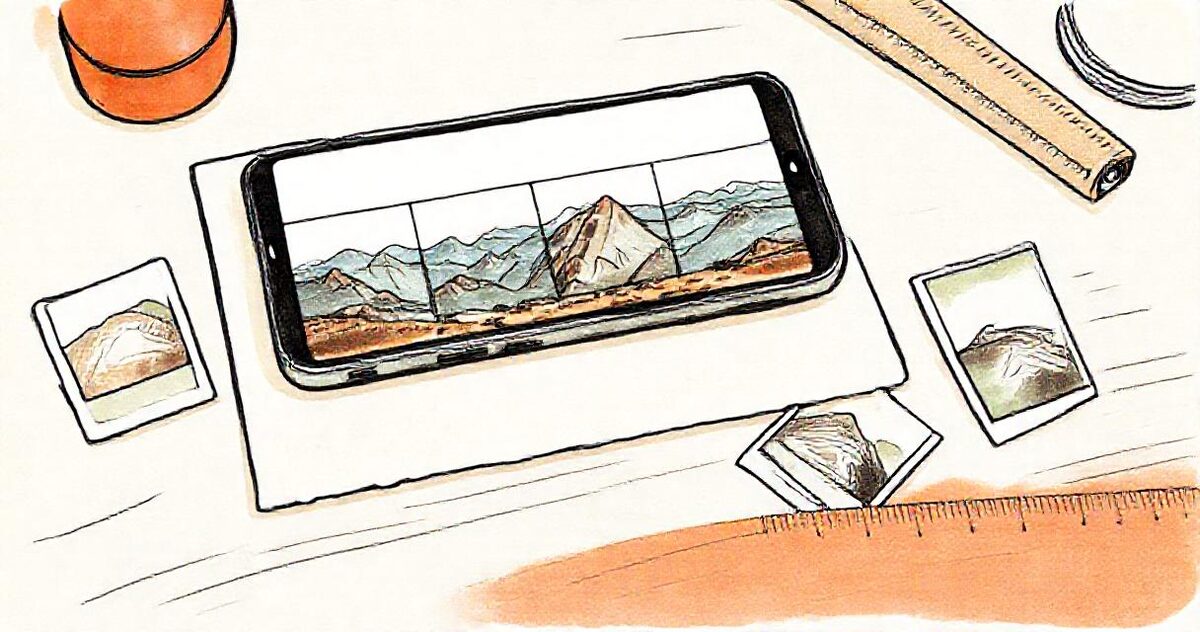
A wide photo split into equal slices that join up as you swipe is one of the best uses of a carousel, especially for venues, landscapes and big group shots.
- Open the carousel splitter and choose "Split a panorama".
- Pick the slide shape (3:4 for the biggest display) and the number of slides. The tool suggests a count from the photo's width so nothing is stretched.
- Download the numbered slides (01, 02, 03…) as one ZIP.
- In Instagram, select the slides in order and keep the original ratio in the crop step so the app doesn't re-crop them.
Photographer tips
- Sneak peeks: post three to five favourites from a wedding the next day as a carousel, and point people to the full gallery link.
- Watermarks: if you use one, keep it inside the central area so the grid crop doesn't cut it. Our batch watermark tool places it consistently across a set.
- Location: Instagram generally removes location data from photos it publishes, but files you send by email or a link keep theirs; see how to remove location from photos.
- The full set lives elsewhere: Instagram is for the highlights. Send clients and guests the full gallery as one link; with GalleryLink it comes straight from your Google Drive folder.