Kits with file counts and 'Download all'
Each gallery is a kit; subfolders are its parts (PNG, SVG, dark background). Downloads happen in the gallery, so your download settings and originals keep working.
Press & media room
Every brand, venue and festival gets the same email: could you send a high-res logo and a couple of photos? The answer is usually a scramble through Drive, a transfer link, and a photo that's three seasons old. A media room ends that. It's one address where the press help themselves to the current files, and it stays current because it reads from the folders you already maintain.
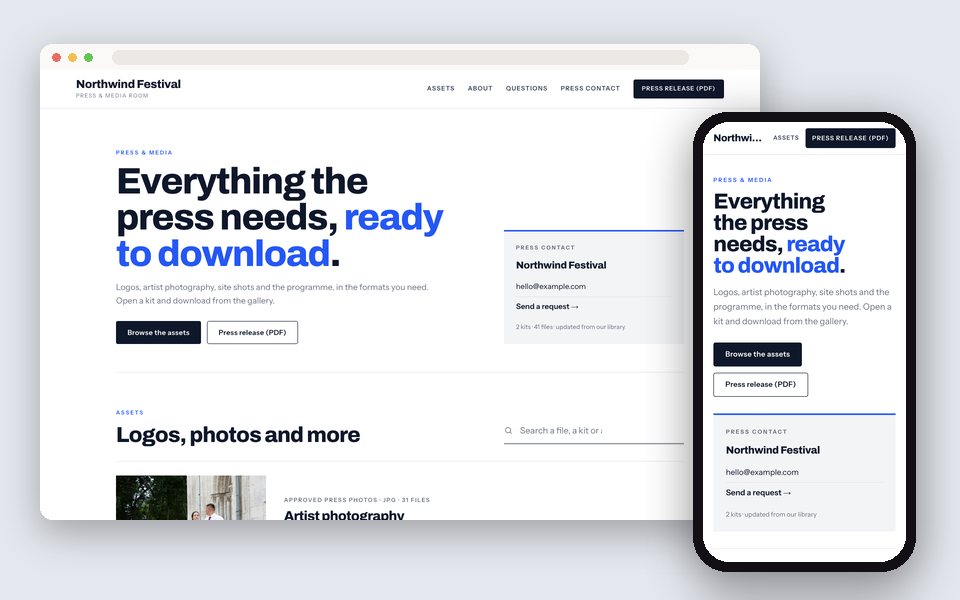
Keep one Drive folder per kit (logos, product photography, leadership portraits, venue shots), turn each into a GalleryLink gallery, and choose Press & media room with the Press design. The site lists every kit with its file count, lets anyone open a kit and download from the gallery, shows your press contact, and sends interview and permission requests to your inbox. Add a file to the folder and it's in the media room.
Every gallery becomes a press kit: logos, product shots, portraits and venue photos, with downloads in the gallery and a press contact.
Each gallery is a kit; subfolders are its parts (PNG, SVG, dark background). Downloads happen in the gallery, so your download settings and originals keep working.
Email, WhatsApp and a 'Send a request' link on the first screen, where a journalist on deadline looks.
The About block is your boilerplate; its points become a fact sheet (Founded, Based in, Capacity).
Interview requests, image permissions and press enquiries, with the kit attached, to your inbox and email.
Give any photo a title, description and tags in the gallery editor; they show in the media room.
White, ink navy and press blue; or Crimson, Forest and Dark themes. press.yourbrand.com on your own domain.
Logos, product photos, portraits, venue, this year's campaign. Subfolders for formats or variants.
Downloads on, full resolution. Add a usage line to each kit; add credits to photos that need them.
In Dashboard → Website. Write the boilerplate and facts; add the press email and WhatsApp.
Email signature, website footer, festival programme. Journalists open a kit, download, and ask through the form.
Build and preview the site free, with no card. Publishing is part of Pro, $8/mo or $80/yr, with unlimited galleries, every design and theme, and your own domain. There is no charge per site, per page or per item.
See full pricing →No. A kit opens in any browser without signing in, and downloads come from the gallery at full resolution.
Yes. Keep the embargoed kit out of the media room until launch day, or switch its downloads off. Password-protected galleries stay off the website entirely.
Yes. Title, description and tags per photo in the gallery editor; they appear in the kit and the photo's detail view.
On Studio, yes: previews carry your watermark while downloads stay clean.
Publishing a website is part of Pro and Studio. Galleries stay online for as long as you're subscribed.
Paste a Google Drive folder, pick what the site is for and a design, and preview it with your own photos. Free to start, no credit card.
Start freeOpen the Website editor