A page per property
Its own address (/c/villa-mar), a photo strip, the description you wrote, and the rooms as sections from your subfolders.
Property listings
Hosts and small property managers already keep one folder per place, with the bedrooms, the pool and the kitchen in subfolders. That is a website waiting to happen. The Estate design turns each folder into a property page, puts your booking link in the header, and gives guests a form that asks the two things you need to know: which property and which dates.
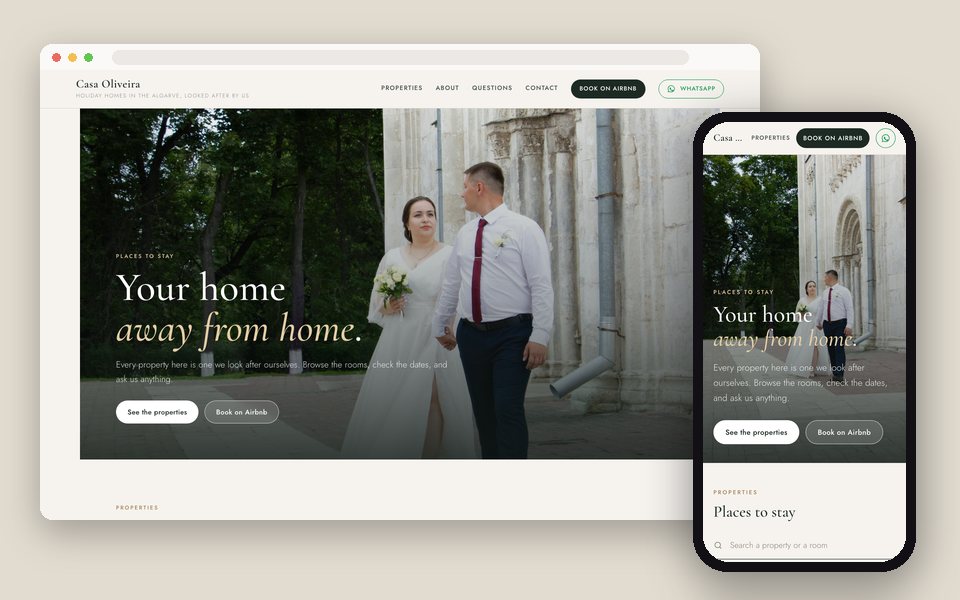
One Drive folder per property becomes one GalleryLink gallery; the subfolders become the rooms. Choose Property listings and the Estate design in Website, add your booking link (Airbnb, Booking.com or your own) and WhatsApp, and publish. Each property gets its own page with a photo strip, the rooms, 'Enquire about this property' and the booking button.
Every gallery becomes a property with its own page: the folder's subfolders are the rooms, with a booking button and an enquiry form that asks for dates.
Its own address (/c/villa-mar), a photo strip, the description you wrote, and the rooms as sections from your subfolders.
Book on Airbnb, Book direct, or whatever you call it, on every page.
The form asks for dates and the property is attached. It lands in your GalleryLink inbox and your email.
A message button for the guests who'd rather ask than fill a form.
A full-width photograph, cream paper, deep green and brass; or Sand, Coast and Charcoal themes.
stay.yourvillas.com on Pro and Studio.
Bedrooms, Pool, Kitchen, Views. The names become headings on the property page.
Paste each folder into GalleryLink. Downloads off if you prefer guests only look.
In Dashboard → Website. Give each property a short line (Villa · Sleeps 8 · Lagos) and a description; add the booking link.
At yourname.gallerylink.live or your own domain. New photos in a folder appear on its page.
Build and preview the site free, with no card. Publishing is part of Pro, $8/mo or $80/yr, with unlimited galleries, every design and theme, and your own domain. There is no charge per site, per page or per item.
See full pricing →The booking button sends them to wherever you take bookings: Airbnb, Booking.com, a direct-booking page. Enquiries with dates come to you by email.
Put them in the property's short line or description, or on a photo's details. There is no calendar or rate table yet.
As many galleries as you choose to show. The home page lists them all; each has its own page.
Yes. Each property is a gallery with its own link, so an owner can have the gallery link while guests use the website.
Everything you write is in your language. The few fixed words on the site (Properties, Contact) are English for now.
Paste a Google Drive folder, pick what the site is for and a design, and preview it with your own photos. Free to start, no credit card.
Start freeOpen the Website editor