A page per category
Each gallery is a category with its own address (/c/roller-shades), so Google indexes it and you can link straight to it.
Product catalogue
A PDF catalogue is out of date the day it's exported. A web shop is more than most showrooms, makers and trades need. A catalogue website sits between: every product with its photo, name, code and price, grouped the way you group them, searchable, and with one button for the question every buyer asks: how much, and can I have it in this size.
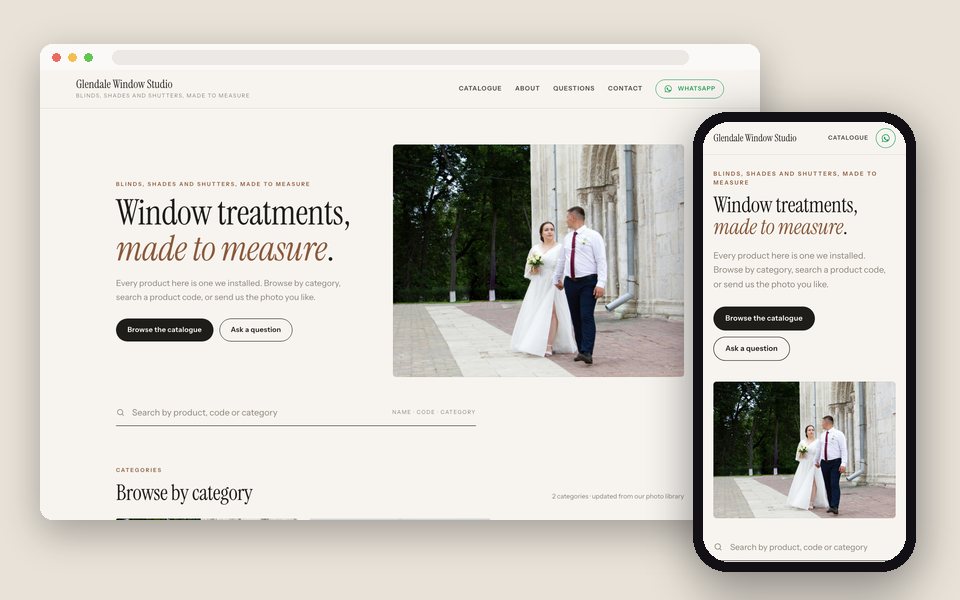
One Drive folder per category becomes one GalleryLink gallery; give each photo a name, a code, a price and a line of notes in the gallery editor; choose Product catalogue and the Catalogue design in Website. The site has a page per category, a search box across everything, an item view with the details, and 'Ask about this item' by email or WhatsApp. Add a photo to the folder and it's in the catalogue.
Every gallery becomes a category. Names, codes and prices on each photo, search across everything, and 'Ask about this item' by email or WhatsApp.
Each gallery is a category with its own address (/c/roller-shades), so Google indexes it and you can link straight to it.
Set once per photo in the gallery editor. A tag like RS-204 shows as the code; a price typed as a number gets your currency.
By name, code, tag or category. Buyers who know the code find the item in one keystroke.
From any item, by email (it lands in your inbox with the item attached) or straight into WhatsApp with the item named.
Editorial serif headings, hairline rules, big photographs. Four colour themes, from warm paper to Noir.
catalogue.yourbrand.com or www.yourbrand.com on Pro and Studio.
Blinds, shutters, lighting; or rings, necklaces, bracelets. Subfolders are fine too.
Paste each folder, then give photos a title, price, description and tags. Photos without details show a tidied file name.
In Dashboard → Website. Add your WhatsApp number and currency; preview with your own items.
Instagram bio, WhatsApp replies, email signature. One address that's always current.
Build and preview the site free, with no card. Publishing is part of Pro, $8/mo or $80/yr, with unlimited galleries, every design and theme, and your own domain. There is no charge per site, per page or per item.
See full pricing →No. It's a catalogue, not a checkout. Buyers ask about an item and the sale happens where it happens today: WhatsApp, a quote, a visit.
In the gallery editor, one photo at a time today. A bulk import from a spreadsheet is on our list; tell us if you need it.
Remove it from the Drive folder, or move it to a 'sold' subfolder you don't show. It leaves the catalogue within minutes.
Yes. Category pages are plain HTML with every item's name, code and price, and each has its own title and description.
Make a second, password-protected gallery for trade. It stays off the public website; send the password to stockists.
Paste a Google Drive folder, pick what the site is for and a design, and preview it with your own photos. Free to start, no credit card.
Start freeOpen the Website editor